If you’re not satisfied with our service, please contact our support team. We’re always here to help!
If you still wish to unsubscribe, follow these steps:
Open the BlancVPN client.
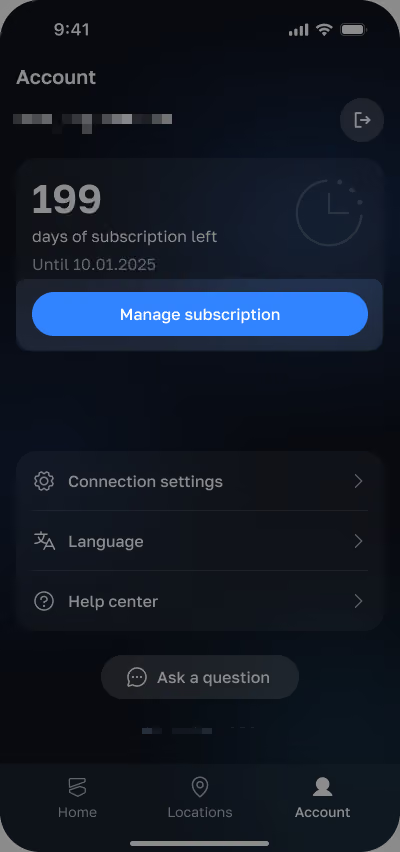
Go to the Account tab.
Tap Manage subscription.
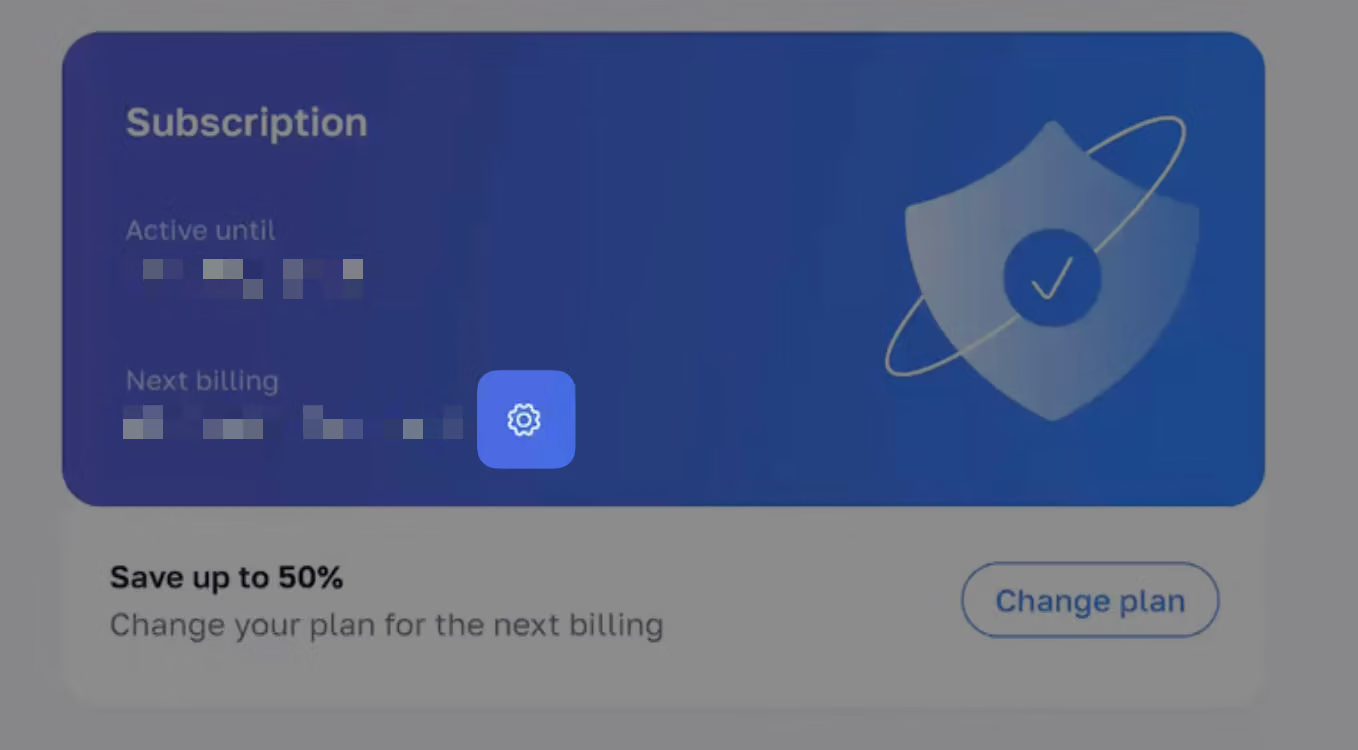
Your personal account will open in your browser with the Subscription section.
Tap the gear icon. A payment method settings window will appear on the page.
Turn off Auto-renewal.
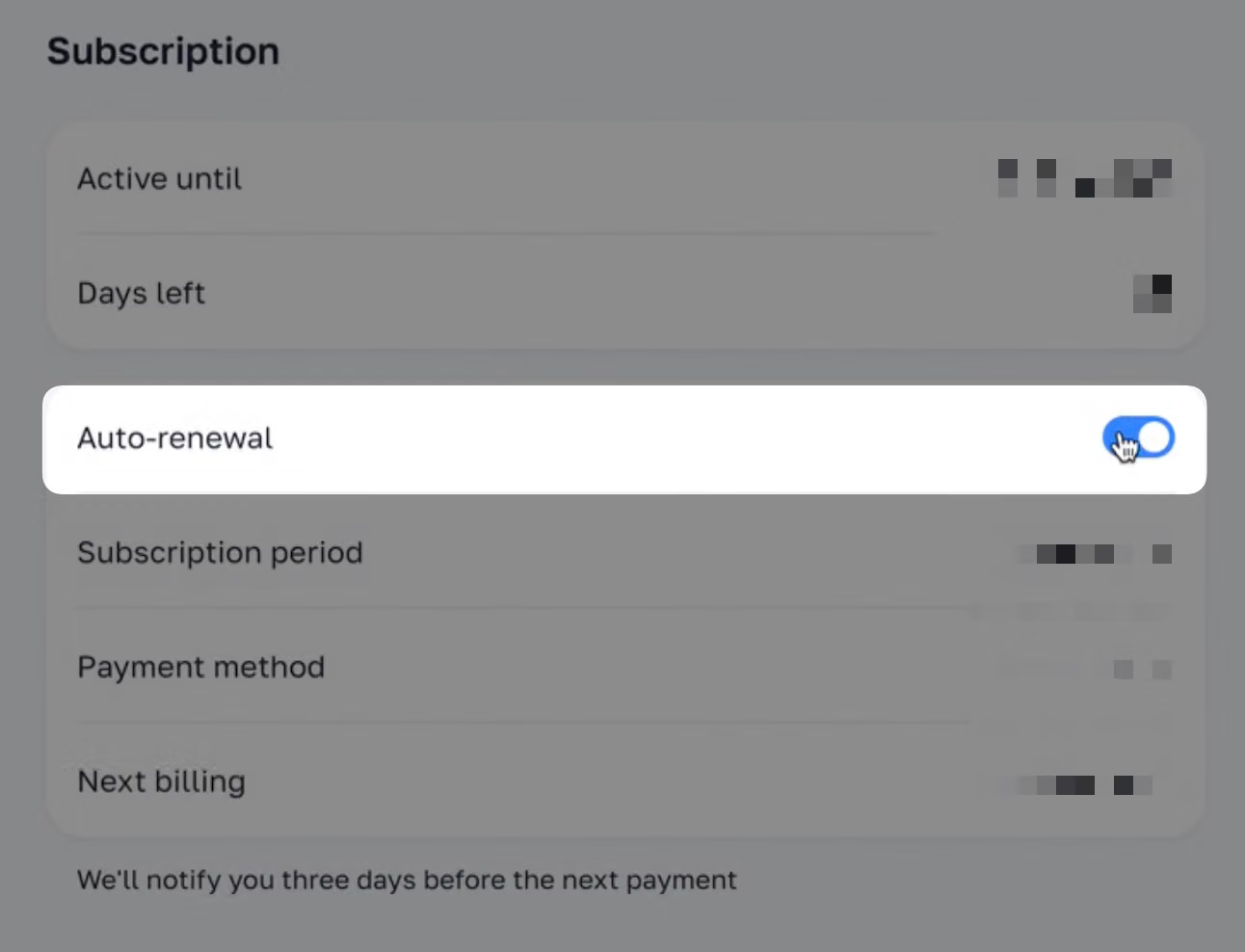
Well done! Your subscription will no longer renew automatically, and no further charges will be applied. You can continue using the VPN normally until the end of your current subscription period.